Toggle Nav 






Time to own it
Tired of sacrificing your cycling dreams due to budget constraints? Rodalink Malaysia has the solution! With Atome, you can now afford any bike and gear you've always wanted without breaking the bank. Shop now and enjoy interest-free installments.
About Atome
+ What is Atome?
Atome is a buy now, pay later payment method, its magic allows you to split your purchase into stress-free installments.
By selecting Atome at checkout or scanning its QR code, your bill will be seamlessly divided into equal payments. Your first payment will be debited 3 day after your purchase, with the rest spread out every 30 days.
+ How it works
Here are 3 simple steps to make your payment easier and more affordable.
- Pay with Atome
If you’re shopping online, select Atome during checkout. If you're in an offline store, just scan our QR code at the checkout. - Choose from flexible payment options
Atome allows you to pay flexibly. Choose from 3 interest-free payments, or opt for more time with a small processing fee. All fees are clearly displayed in the app when you transact. You'll pay the first payment at the point of purchase, and subsequent payments monthly. - Earn rewards
Earn 1 Atome+ point for every RM1 spent. Collect Atome+ points to offset transactions or redeem from a wide selection of rewards in the Atome app.
+ Are there any requirement(s) for using Atome?
Please ensure that you meet the following requirements:
Age Requirement
You are at least 18 years old.
Account set-up
Atome will require from you:
- A mobile number issued with a Malaysia prefix (+60)
- Legal full name
- A Malaysian NRIC
- Date of birth
- A valid email address
- A credit/debit card issued by a financial institution
- Your residential address
- Your residential status
The information is required to ensure that Atome identify the correct users and prevent any misuse of identity.
Step-by-step guide
1) Register with your handphone number
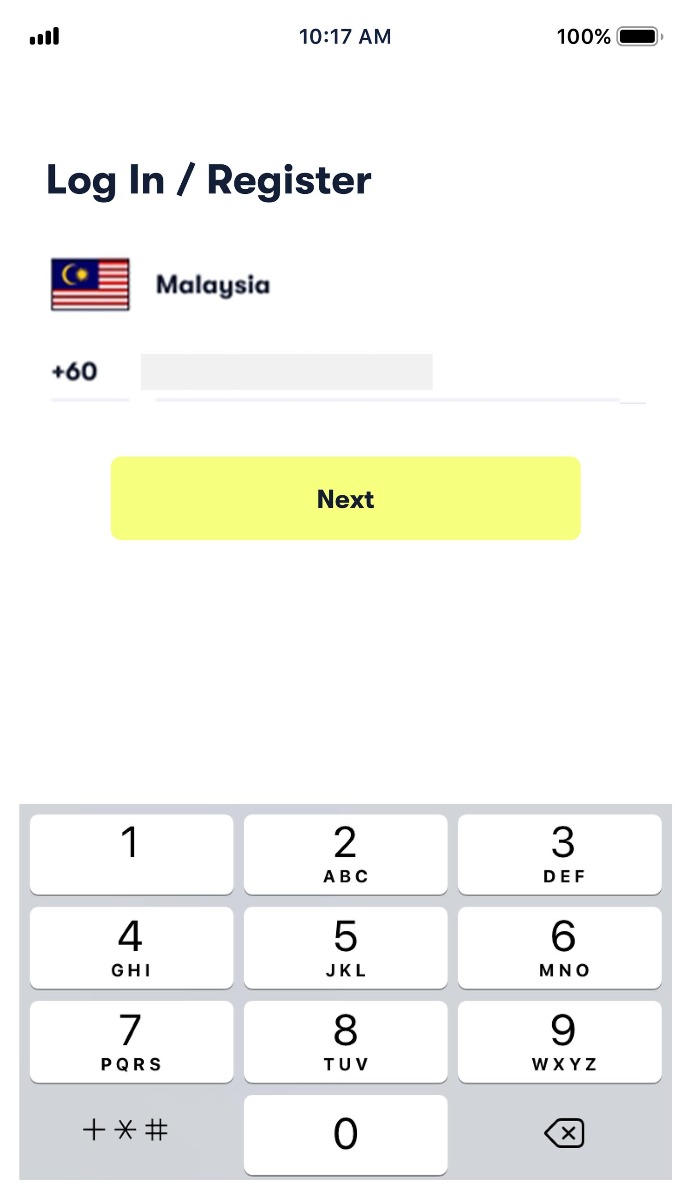
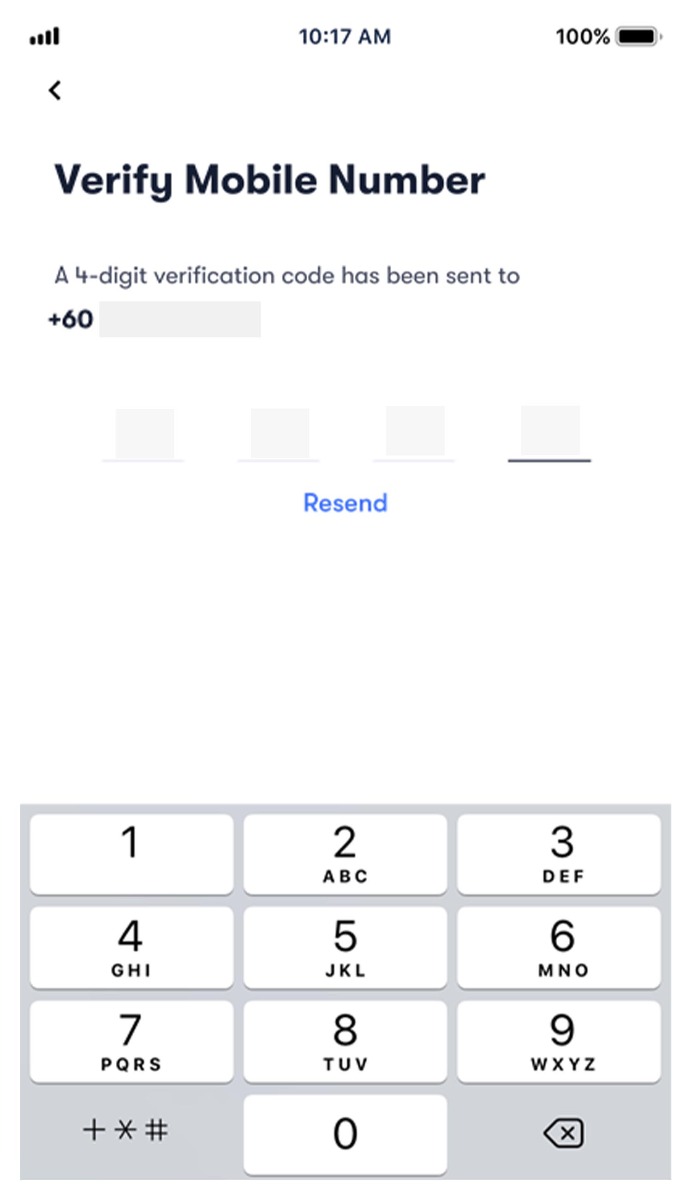
2) As a first-time user, you will need to go through user verification. Click "Pay" at the home page
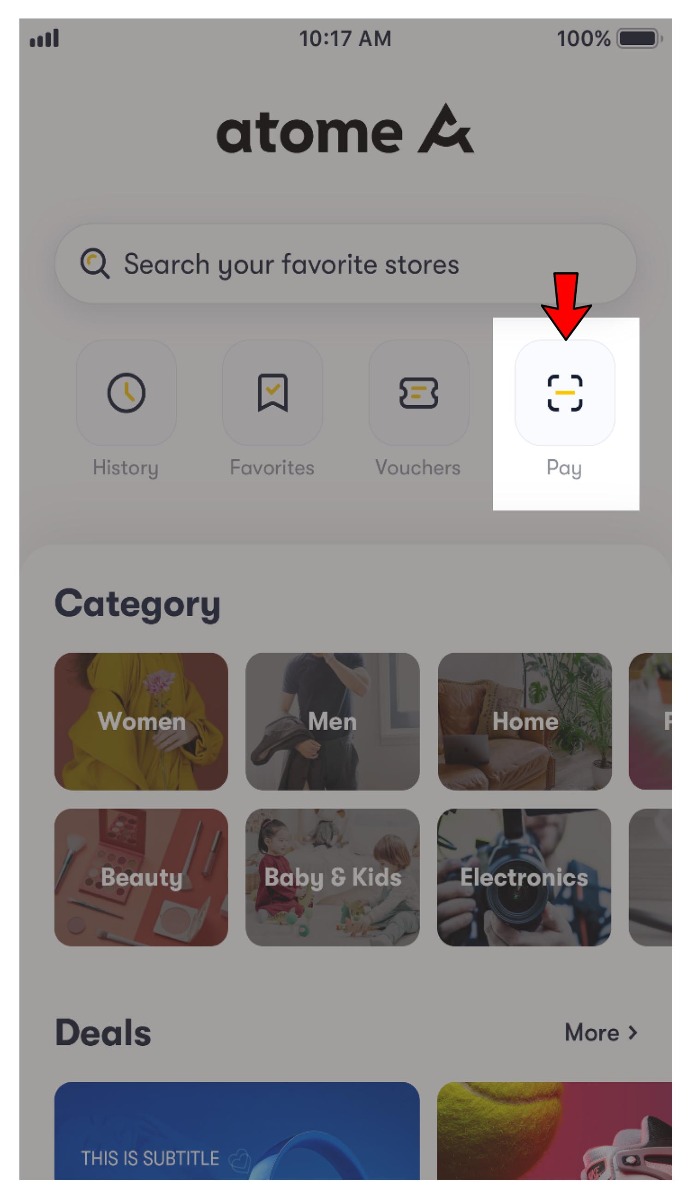
3) Fill in personal information with MyInfo or manual input
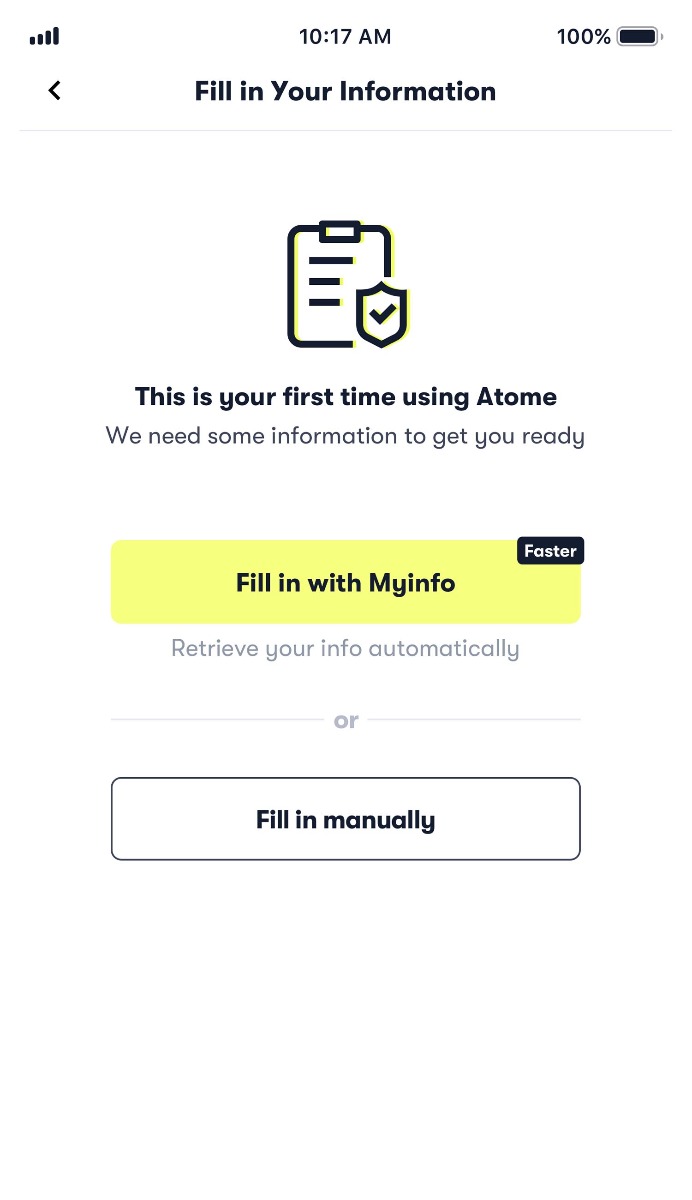
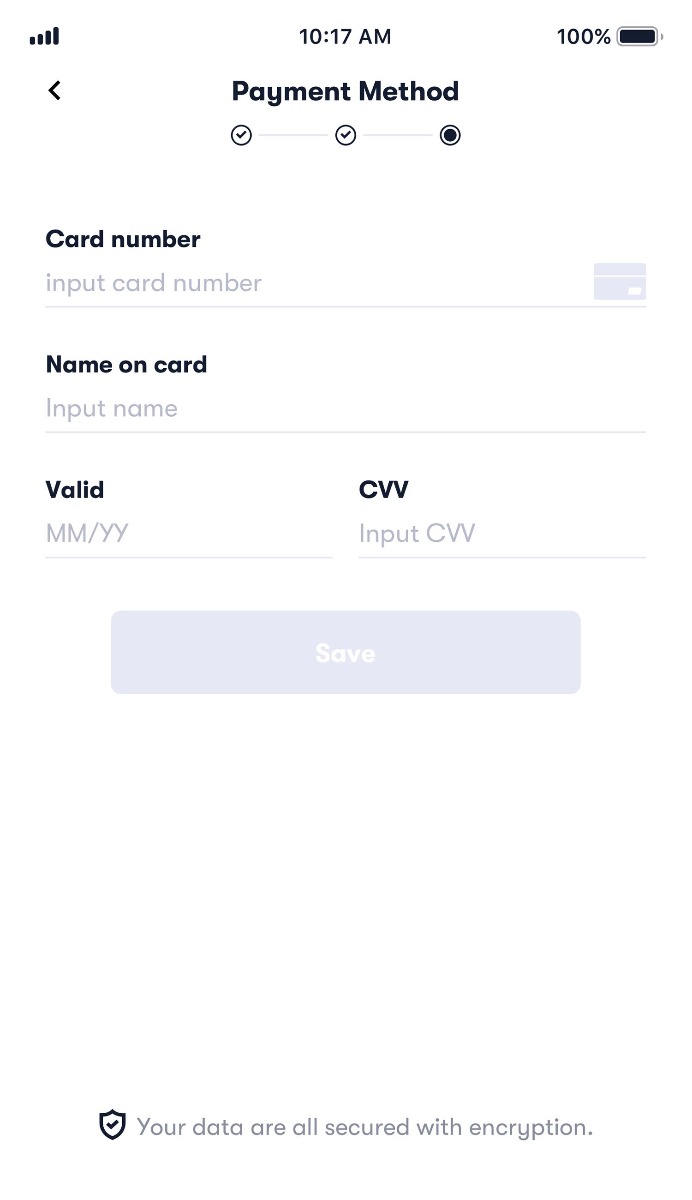
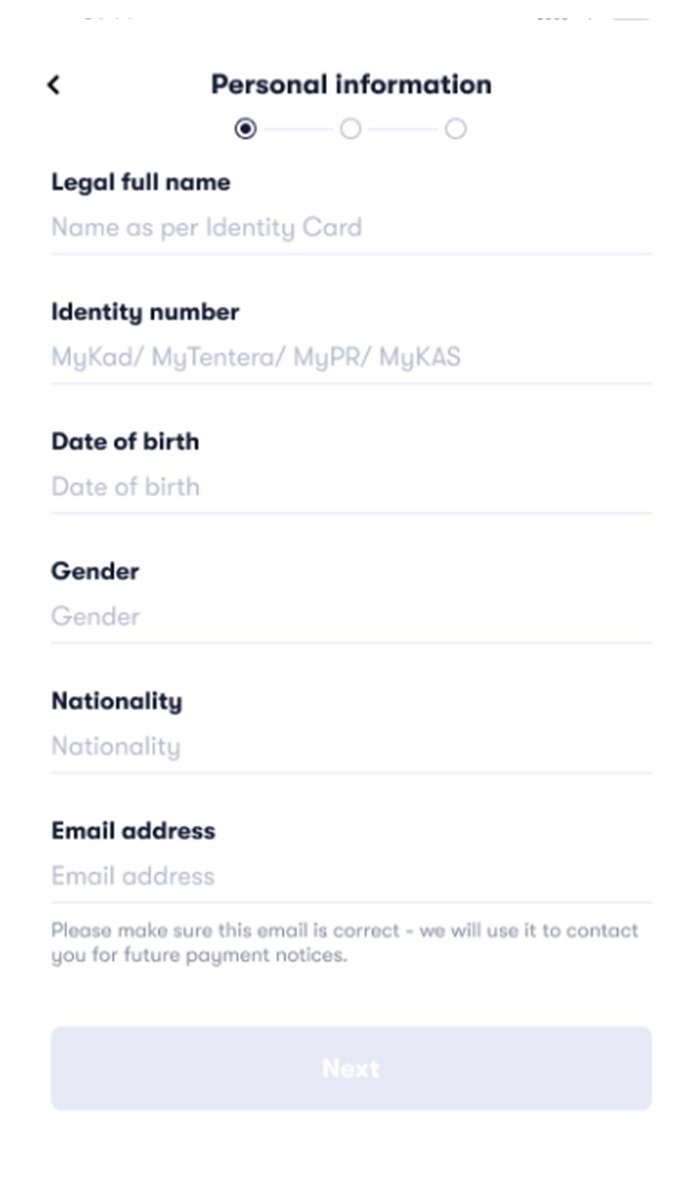
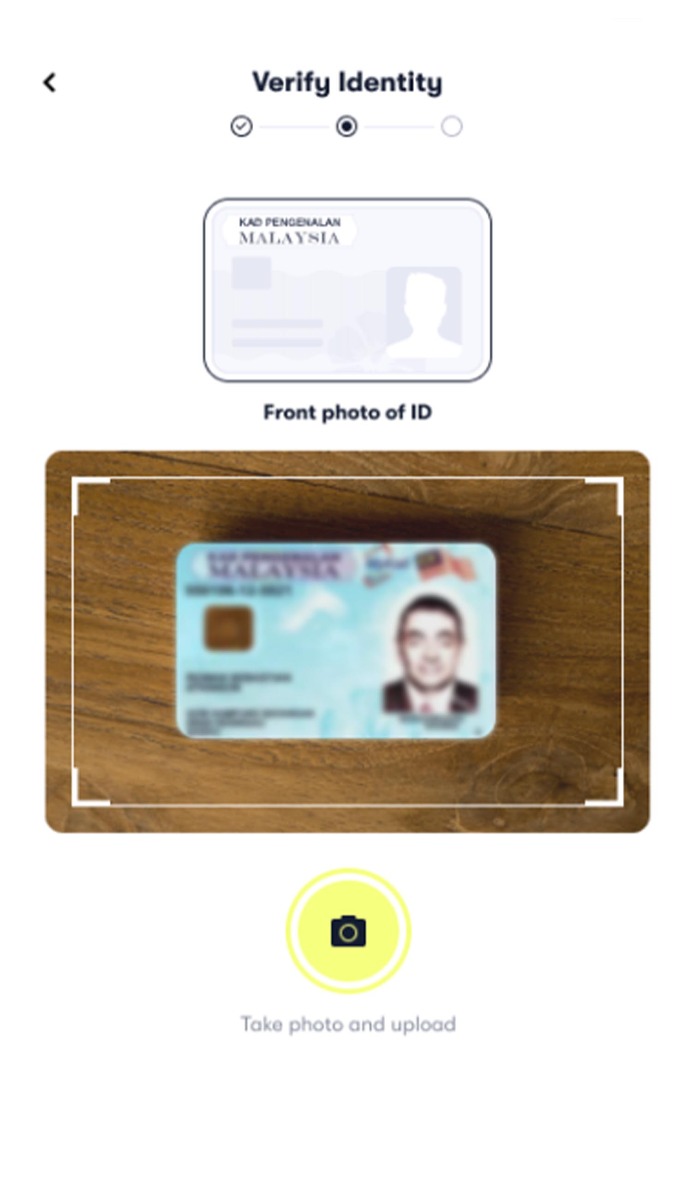
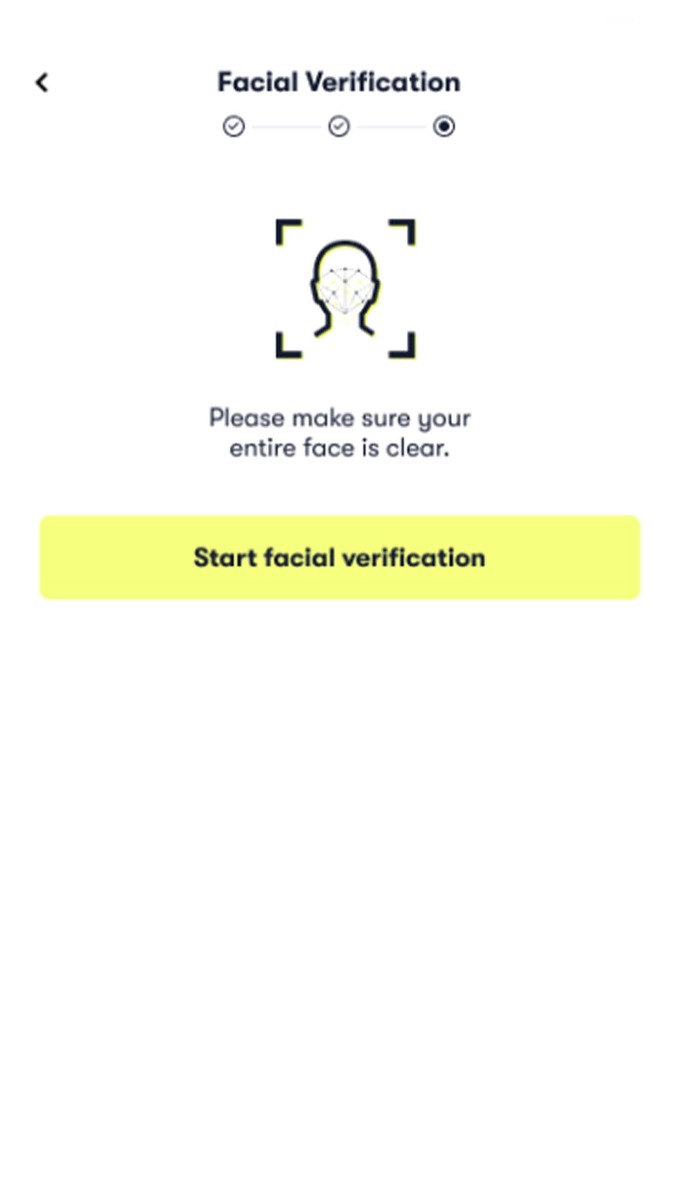
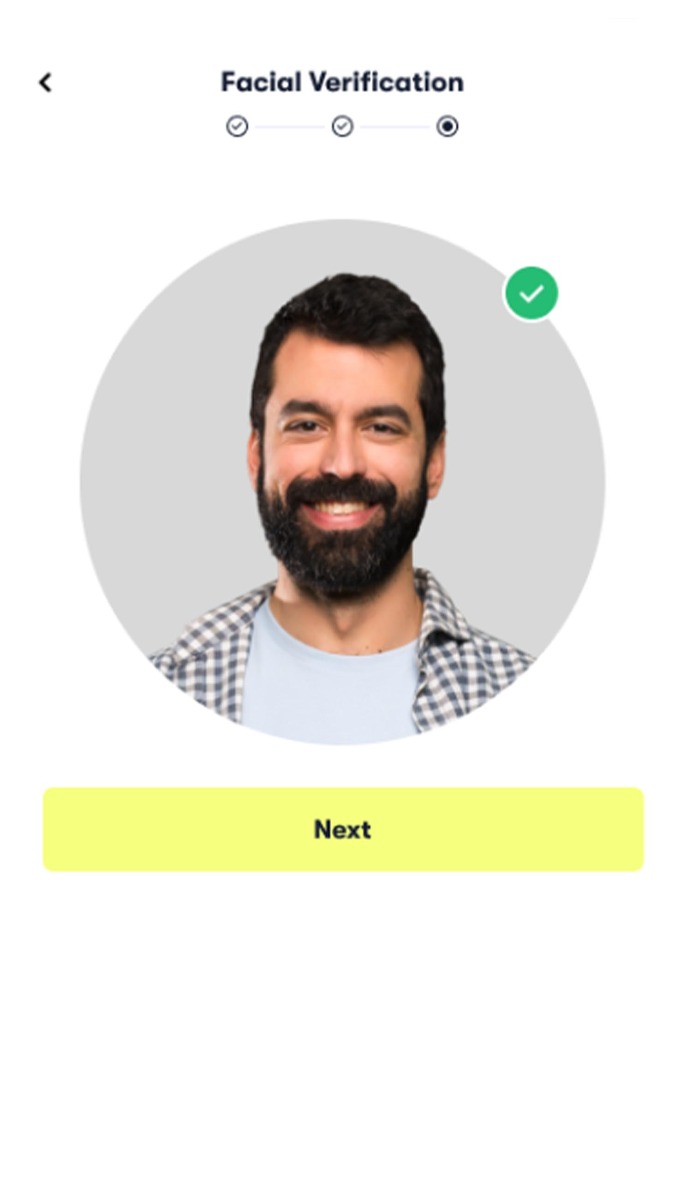
4) Add your credit/debit card details to complete the registration
Managing Orders
+ What kind of payment methods are accepted?
Atome accepts most debit and credit cards as a payment method. The primary card would show at the confirmation page and the payment will be deducted from it. If you have not linked your card, you can choose to link it upon checkout.
+ What do I have to do after I have made a purchase?
To make things easy and convenient, Atome has automated your future payments. You do not have to worry about late repayment, so long as the card bound to your Atome account is valid and has sufficient value.
Atome will also be sending reminders and payment status for all upcoming payments.
You may also refer to the Atome app to keep track of your payments:
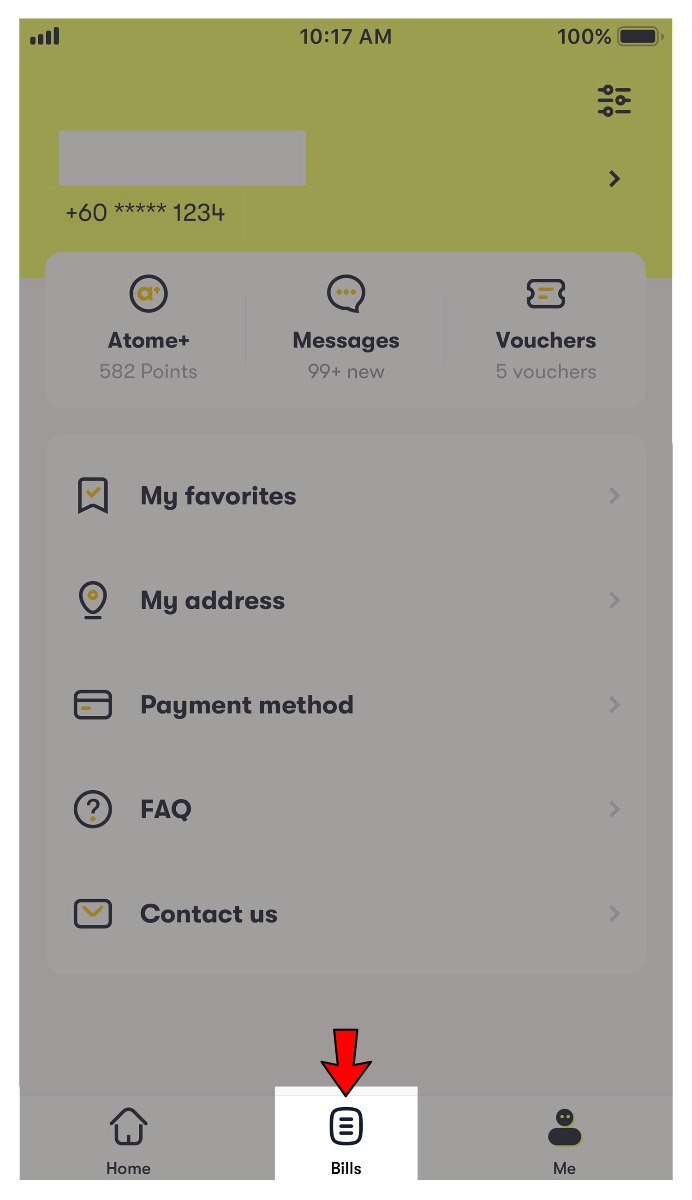
1) Go to "Bills" and click transaction for more payment details
2) Payment details will be shown - "Auto-deduction" and "Payment completed" date and amount
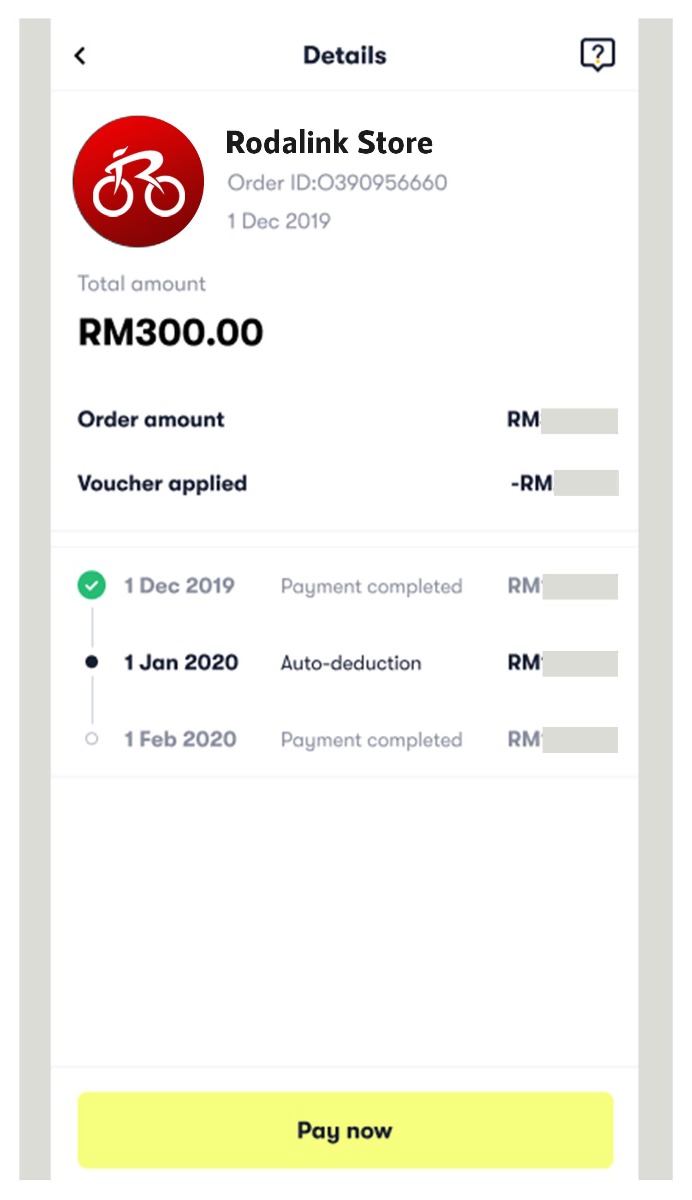
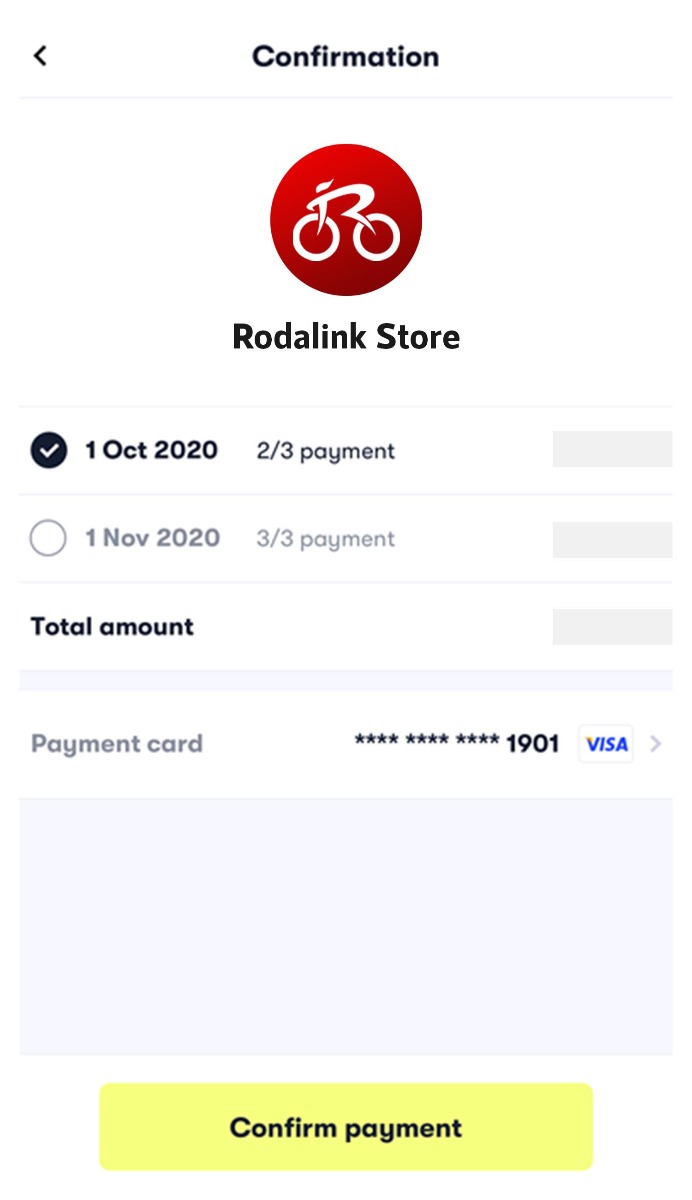
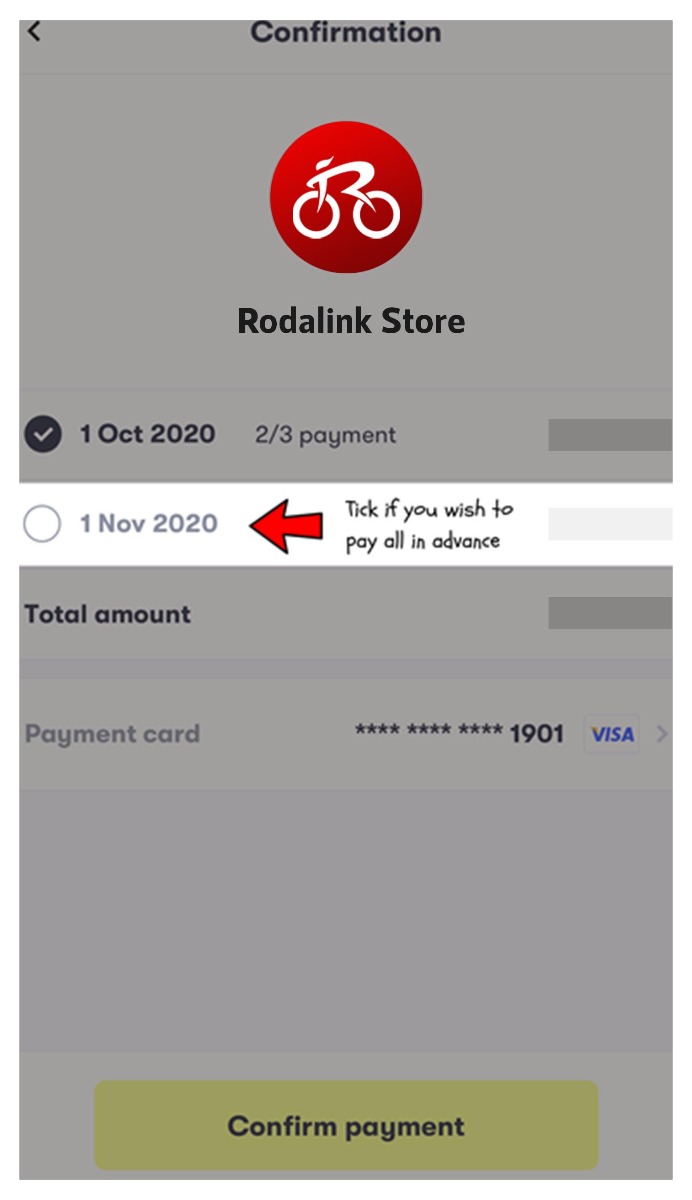
3) [OPTIONAL] You may also pay in advance by clicking "Pay now" and then "Confirm Payment" (3 day after order date)
+ What happens when I make a late payment?
A late payment charge was applied to your account due to an unsuccessful scheduled payment. Please note that for each overdue payment, a Late Payment Charge of RM 23 will be incurred, and there may be an additional penalty of RM 7 depending on Atome's funding source as assigned by Atome system. This extra RM 7 is necessary to offset our increasing costs.
To prevent these charges, highly encourage you to make your payments on time. Payment structure remains unchanged, and remain dedicated to providing you with a growing range of financial solutions.
You can easily clear up your outstanding payments by logging into your account or via the link in your notifications. The maximum amount of the late payment charge and additional penalty will depend on the payment plan that you have selected.
For example:
| Tenure |
Maximum Late Payment Charge (Per Order) |
Maximum Additional Penalty (Per Order) |
| 3 Installments | RM 23 * 2 = RM 46 | RM 7 * 2 = RM 14 |
| 6 Installments | RM 23 * 5 = RM 115 | RM 7 * 5 = RM 35 |
| 12 Installments | RM 23 * 11 = RM 253 | RM 7 * 11 = RM 77 |
Atome want to get you back on track as soon as possible. You can make payment by logging into your Atome app or by following the link in our reminder notifications. Your Atome account will be restored after all fees and outstanding amounts have been paid.
+ May I defer my repayment?
If you're encountering issues with your repayment due to sudden financial struggles such as loss of income or natural disaster. You can email directly at support@atome.my and share the details of your situation.
+ How do I refund my purchase?
Here’s how it works:
- You’ll need to contact the Rodalink.com/my to ask for an order cancellation/refund.
- Once the Rodalink.com/my has initiated the Full Refund, Atome will process the refund amount back to your card (credit) or bank account (debit) which you had initially used.
- Typically, the whole process will take up to 14 business days for the amount to be reflected in your card (credit) or bank account (debit).
- An email confirmation will be sent to you. Alternatively, you can view your payment status via the Atome app.
Cashback rewards don't apply to cancelled or refunded transactions. If you refund your purchase, you’ll also lose your Cashback
Your order details under "Bills" in Atome app.
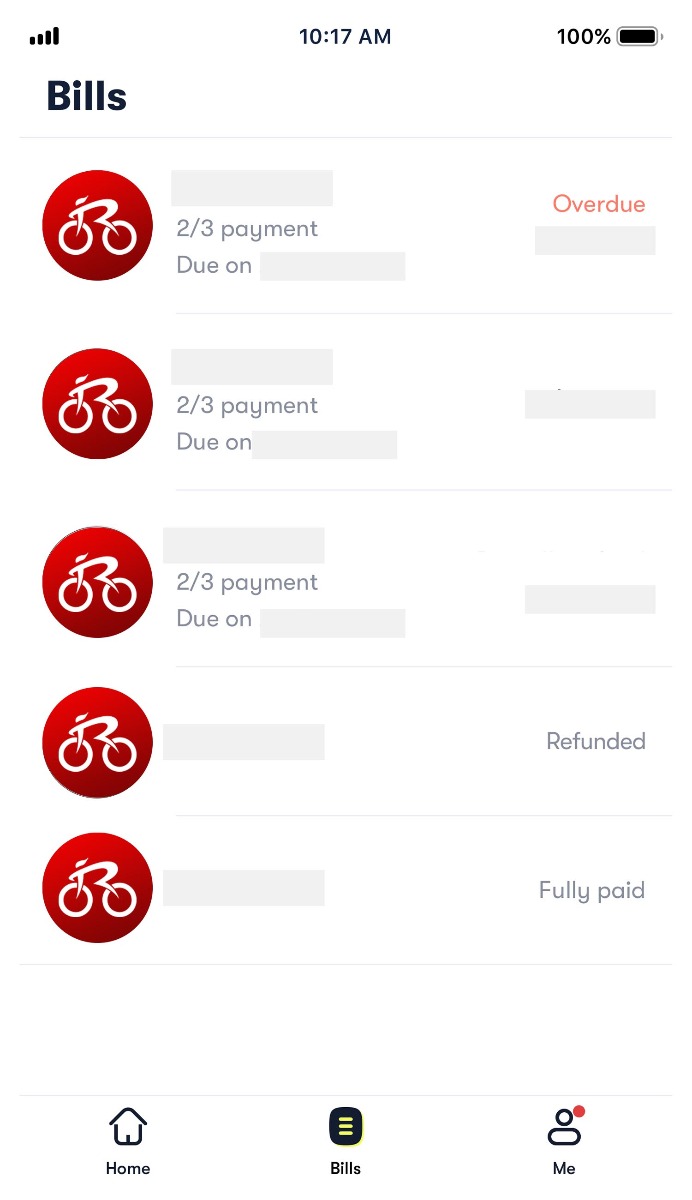
Refund methods:
- Refund to card
Once the merchant processes a refund, the amount will be credited to your card that is tagged to your Atome account within 10 to 15 business days. There is, however, a dependency on how long your card banks take to credit the refund. Please refer to Rodalink Return And Refund Policy and bank on refund status. - Cancellation/Reversal
If your refund is processed within 3 day after your order date, the refund may go through in the form of a reversal. In the case of a reversal you will not see a refund credit on your statement – you will just see the original authorisation drop off their statement entirely after a few days. There will be no payment, and no refund. It will appear as if the whole transaction never happened. You may contact your bank to confirm this.
If you have any questions on your refund, send your questions via email at support@atome.my.
Cancellation or closing of card
If you have cancelled or closed your card during the time the purchase was made, please contact your card issuer or bank to locate the returned funds and ensure that they are properly paid out to you. If your bank requires refund details e.g. refund date and amount, you can get in touch with Atome via email at support@atome.my and ask for your refund confirmation.
+ How does the partial refund work?
Here’s how it works:
- You’ll need to contact the Rodalink.com/my to ask for an order cancellation/refund.
- Once the Rodalink.com/my has initiated the Partial Refund, here's what Atome will do: The amount will be used to offset your next installment’s repayment. If you do not have any outstanding Installments in your account, the amount will be refunded back to your card (credit) or bank account (debit) which you had initially used.
- Typically, the whole process will take up to 14 business days for the amount to be reflected in your card (credit) or bank account (debit).
- An email confirmation will be sent to you. Alternatively, you can view your payment status via the Atome app.
Cashback rewards don't apply to cancelled or refunded transactions. If you refund your purchase, you’ll also lose your Cashback
Your order details under "Bills" in Atome app.
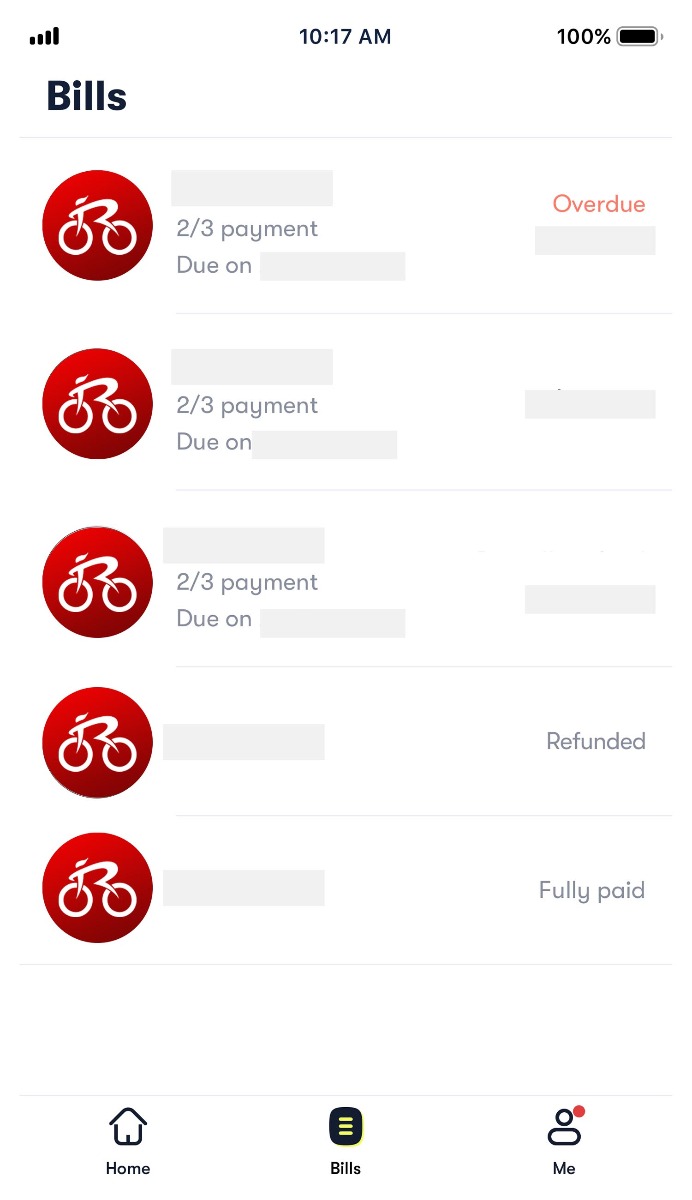
Refund methods:
- Deduction is Original Payment Amount minus Partial Refund
If your partial refund is processed within 3 days after your order date, there are instances when the original deduction amount was $x but the actual deduction amount is $y after taking into account the refund. In such cases, you can check your bank statement or record to verify the final deduction amount. - Partial Refund via Order Adjustment
After your first payment deduction, your order amount may be adjusted and you will pay less for the subsequent payments. - Partial Refund to Card/Bank Account
There are also instances when the amount will be credited to your card/bank account that is tagged to your Atome account within 10 to 15 business days once the merchant processes a refund. Refunds will be credited back to the original payment method the funds were deducted from. There is, however, a dependency on how long your card issuer/bank takes to credit the refund.
If you have any questions on your refund, send your questions via email at support@atome.my.
Cancellation or closing of card/bank account
If you have cancelled or closed your card during the time the purchase was made, please contact your card issuer or bank to locate the returned funds and ensure that they are properly paid out to you. If your bank requires refund details e.g. refund date and amount, you can get in touch with Atome via email at support@atome.my and ask for your refund confirmation.
+ What is the processing time for a refund?
In general, once the merchant processes a refund, the amount should be credited to your card/bank account within 10 to 15 business days. Refunds will be credited back to the original payment method the funds were deducted from. There is, however, a dependency on how long your card issuer/bank takes to credit the refund.
+ What is “non-refundable” voucher amount?
If you had applied a voucher in your order and requested for a partial refund, you should only receive:
Receivable refund amount = Requested refund amount - Non-refundable voucher amount.
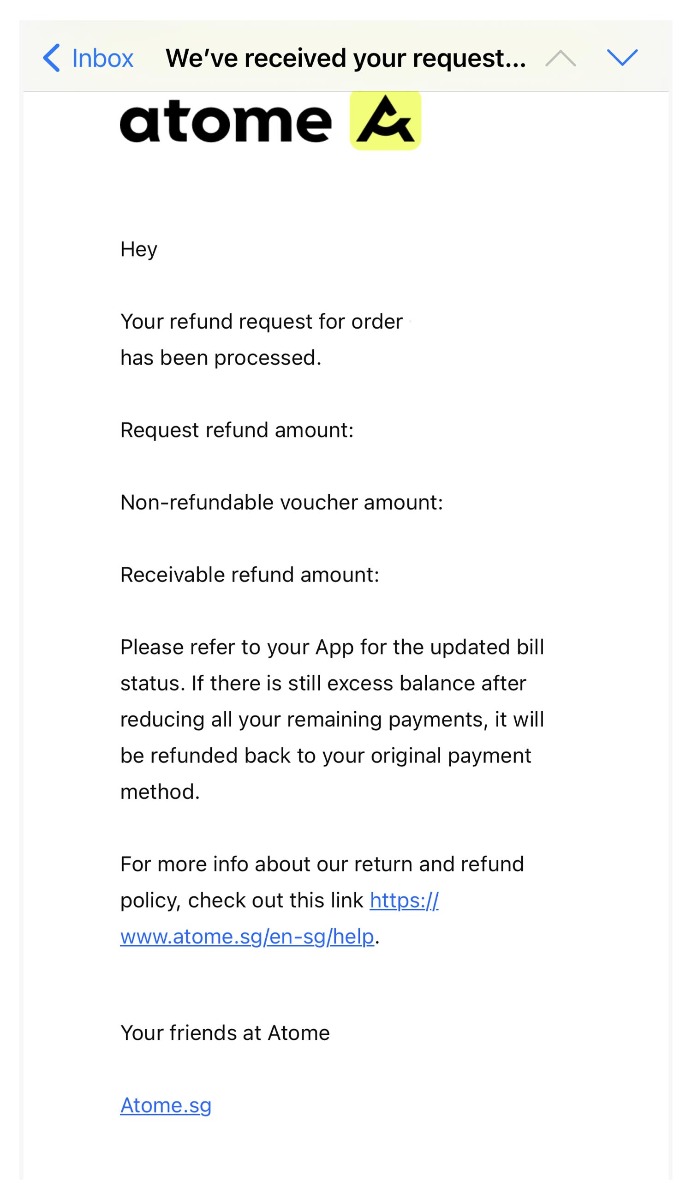
To avoid voucher abuse, Atome will deduct the voucher amount applied to the refund amount each time a partial refund is requested.
How to calculate
Example:
| Original Order Amount | RM112.85 | |
| Voucher discount | RM10.00 | equivalent to 8.86% of original order amount |
| Order Amount after discount | RM102.85 |
If a partial refund of RM3 is requested, 8.86% of RM3 ≈ RM0.27 will be deducted, the user will only receive RM2.73.
+ Why am I unable to make any purchases?
Here are some possible reasons:
- Atome have detected a duplicated account registered with your existing account information
- You have an existing outstanding balance, or an irregular payment history
- Your purchase has exceeded the available spending limit in your account
You may wish to transact at a lower amount or attempt another transaction after 30 days.
+ I have not received the product or would like to make a refund after receiving the products
We are happy to assist you with returning or exchanging your purchase if it arrives defective, damaged, not in complete condition, or doesn't match our website's description. You may contact Rodalink Customer Care here for return or refund request.
Managing Account
+ What is my spending limit?
Atome tailored personalized spending limits to make your shopping experience truly yours. These limits are adjusted periodically, taking into account factors such as your usage frequency and payment history.
It's important to note that this spending limit differs from the credit limit on your credit/debit card. Atome is here to ensure that your Atome experience is secure, personalized, and seamless.
+ Why is my account being rejected/suspended? Why can't I make a purchase?
There are various reasons why an Atome account may be suspended:
User identity verification issues
- The provided card is not a government-issued identity card recognized by the country of your citizenship or residency.
- The details of the identification card are unclear during submission.
- The details submitted do not match your registered Atome account details.
Account security concerns
- Should Atome suspect that your account has been compromised, they may suspend it temporarily.
This action is taken to ensure security and prevent potential malicious activities.
Overdue payments
- If payments have been overlooked, resulting in a temporary account suspension, Atome kindly urge you to settle outstanding payments promptly.
This will reactivate your account. Please note that extended overdue payments could lead to permanent suspensions.
Fraudulent activities
- Permanent suspension may occur if the account is suspected to be involved in fraudulent activities on the platform.
Technical issues
- Technical errors may occur occasionally. Please ensure you get good network connectivity, restart your mobile device, and attempt to transact again.
In order to investigate the cause of the suspended account, send your questions via email at support@atome.my.
Managing Payments
+ What if I have questions about my overdue account?
If your account is overdue and you have any questions about payment, please send an email to support@atome.my.
+ What is DuitNow Online Banking (DNOB)?
DNOB a.k.a FPX is an easy-to-use and secure electronic fund transfer service that allows for the sending and receiving of funds in real-time via internet banking.
+ How do I use DNOB?
DNOB is only available for manual repayment.
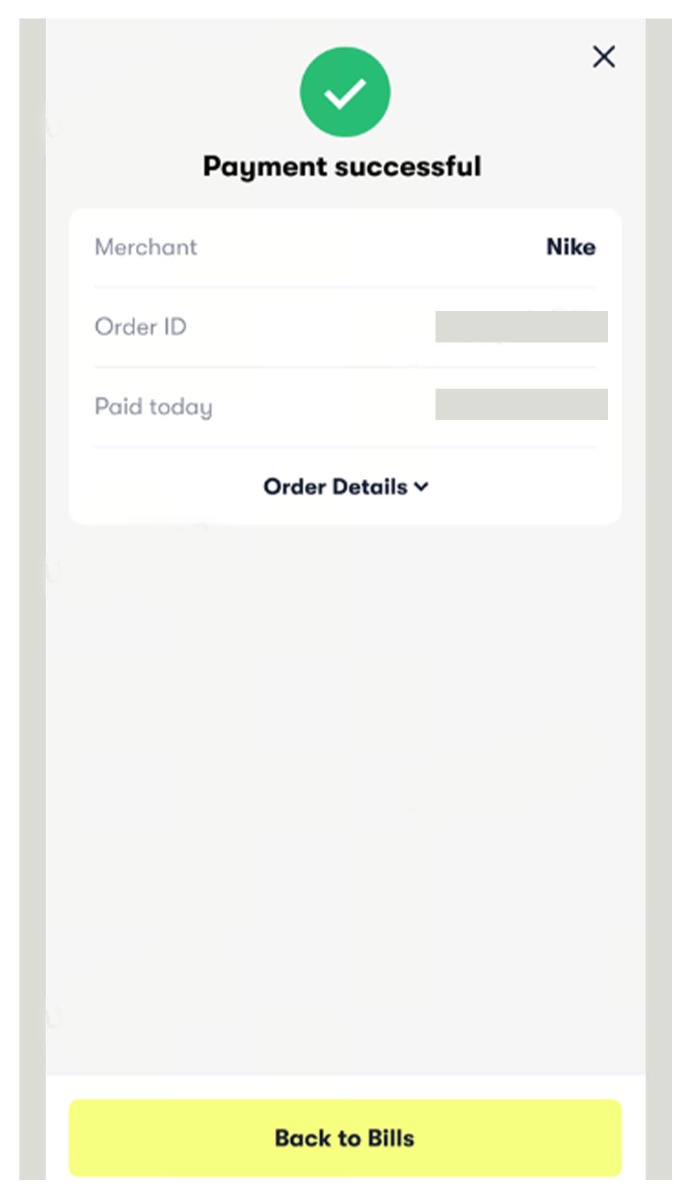
1. Go to "Bills" and select an order you wish to make payment for.
2. Tap on "Pay now" for repayment.
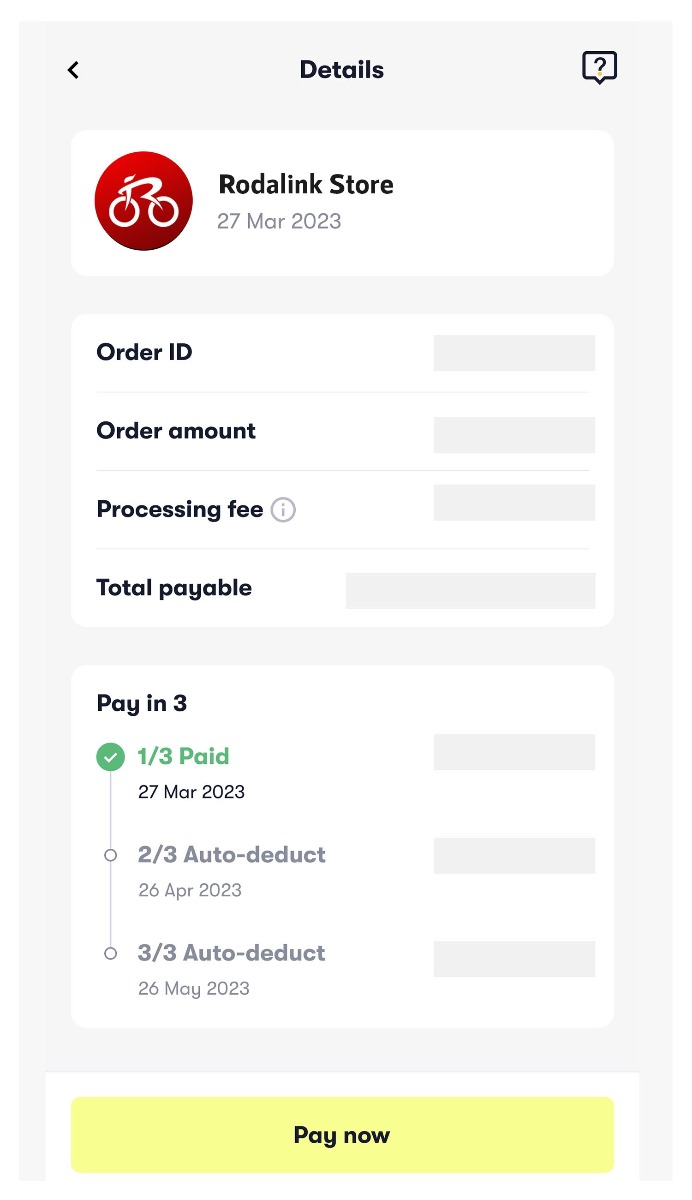
3. Tap on "Payment method" and select FPX / DuitNow Online Banking.
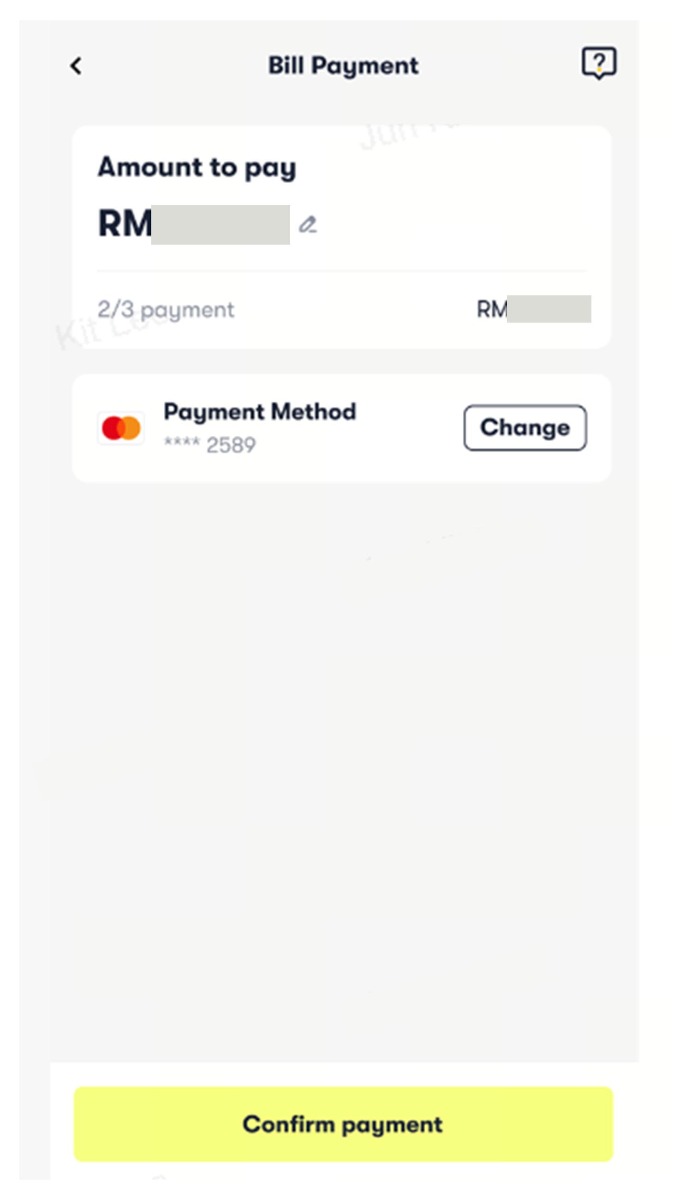
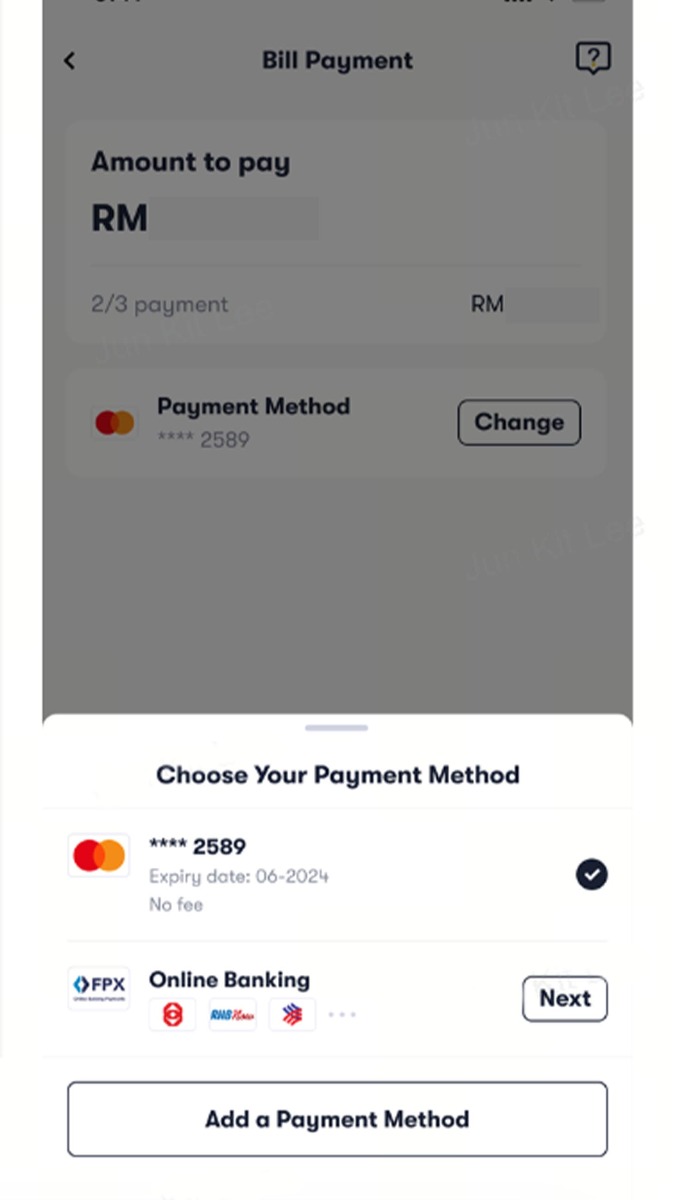
4. Select your preferred banking provider and tap on "Confirm".
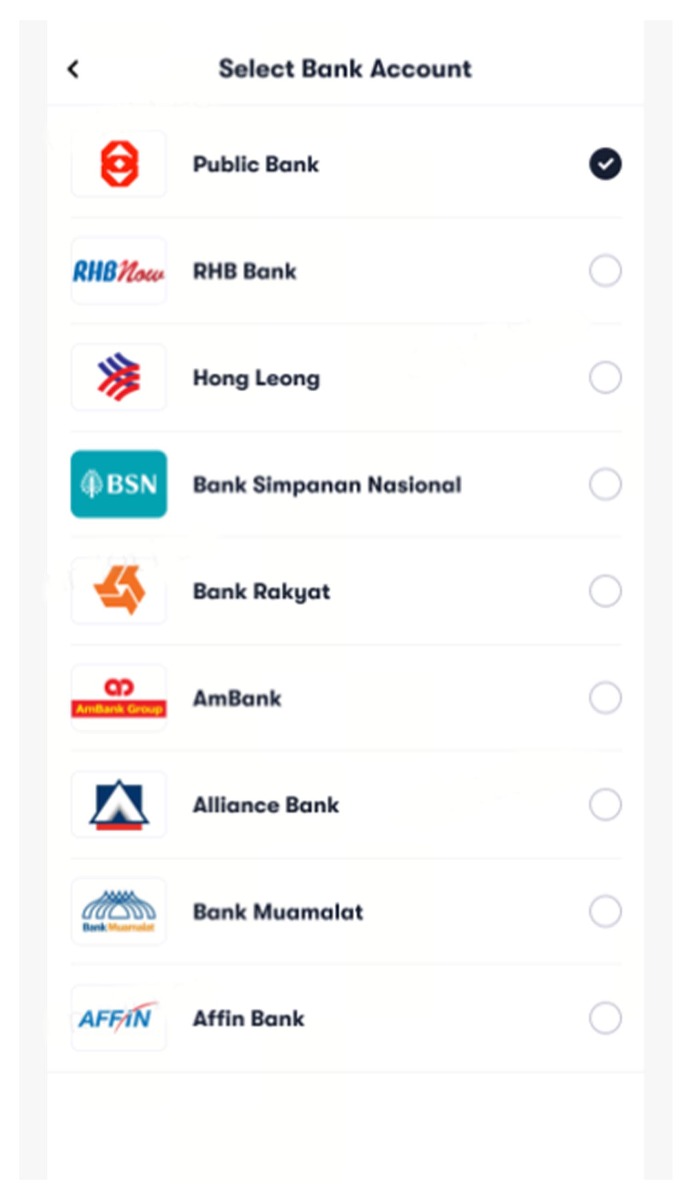
5. Tap on "Confirm payment" and you will be automatically redirected to your selected banking provider's website.
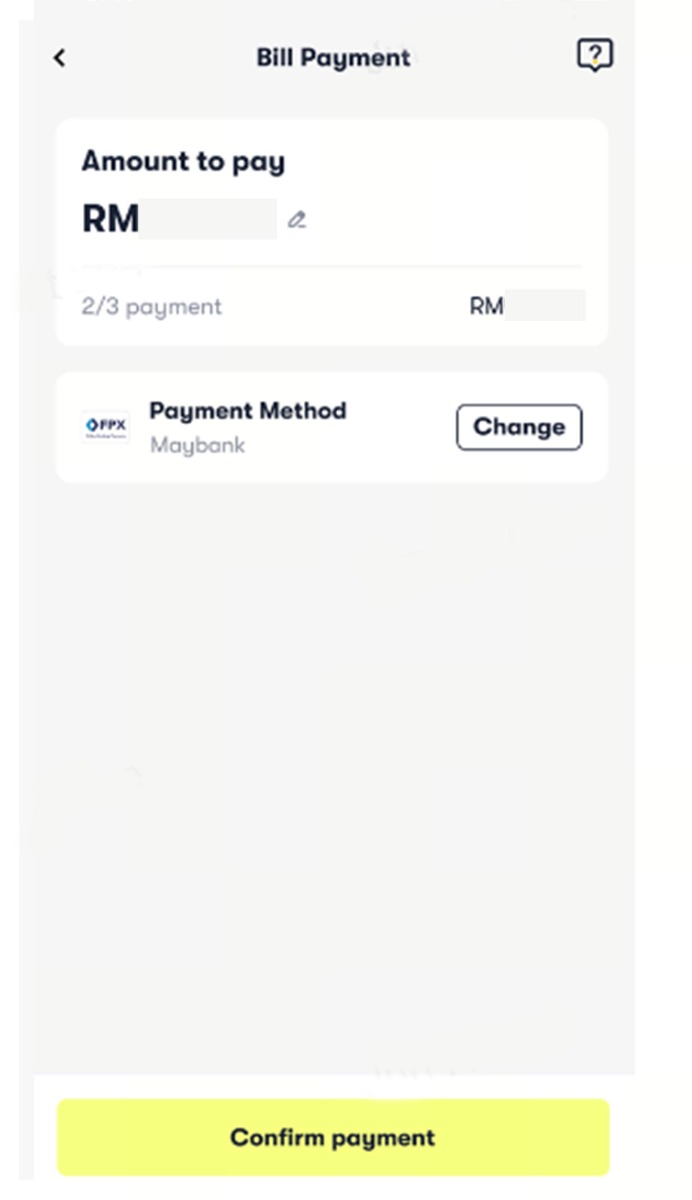
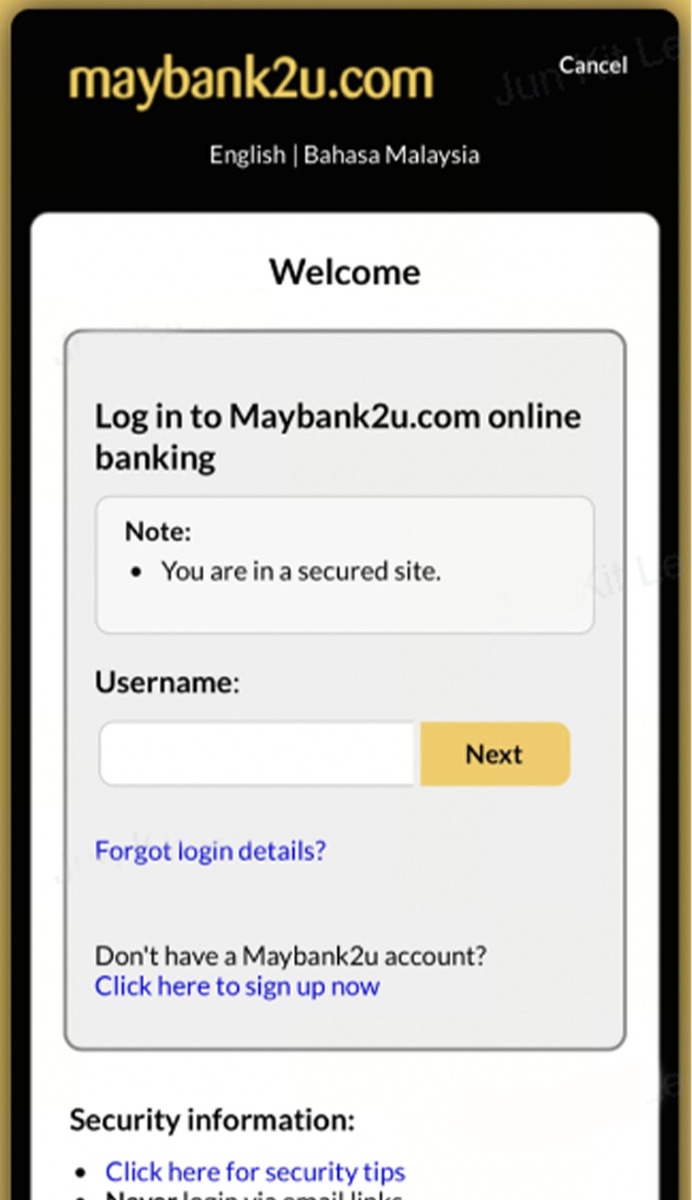
6. Follow the instructions on the banking provider's website to complete repayment.
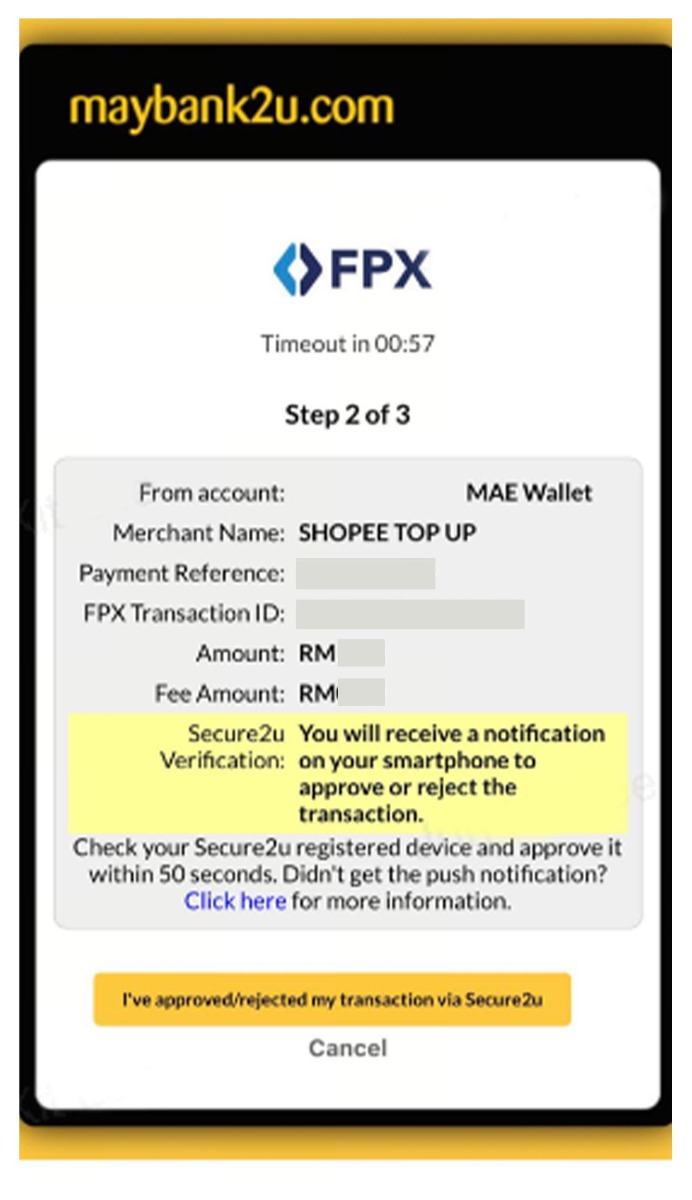
7. You're all set!
+ How long does it take for my DNOB payment to go through?
The payment will go through instantly once the transaction is successful.
+ Are there any additional fees when paying with DNOB?
No, there are no additional fees when paying with DNOB.
+ If I've paid with DNOB, where do I receive my money in the event of a refund?
You will receive the funds via the same bank account used to make payment upon refund approval.
+ Why can't I use DNOB/FPX as a repayment method for some bills?
The DNOB/FPX payment method is currently being rolled out, so it may not be available for some bills yet. If your preferred DNOB/FPX is unavailable, please try using another payment method. Thank you for your patience and understanding.
Please complete your information below to login.
Sign In
Create New Account