Toggle Nav 



How do I see my Rodalink coupon or voucher code?
Below are the steps to view your Rodalink coupon or voucher code:
Mobile Version
1. Login to your account first. Login click here.
2. Click “My Account”.
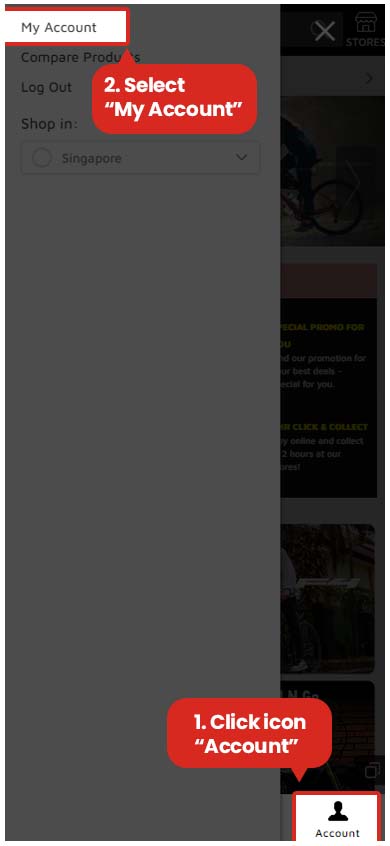
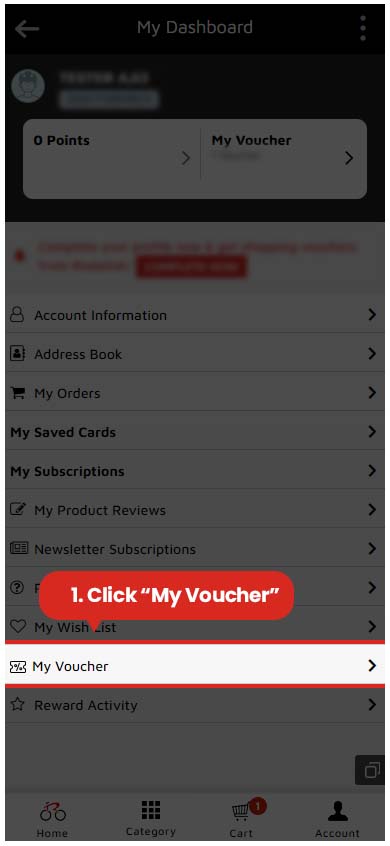
3. Select "My Voucher" menu to show all the coupons or voucher codes that you have.
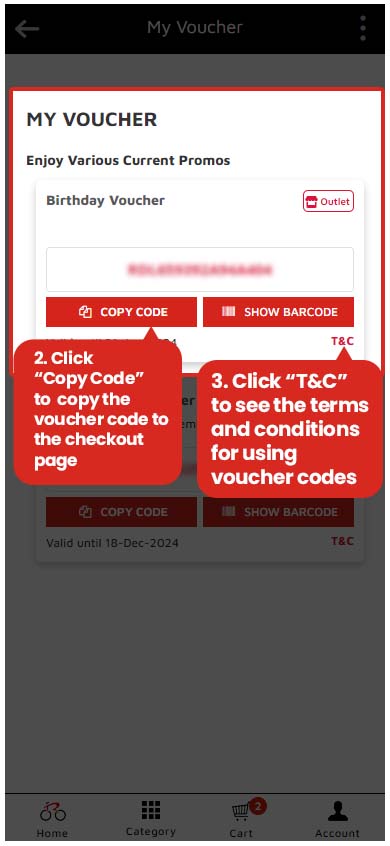
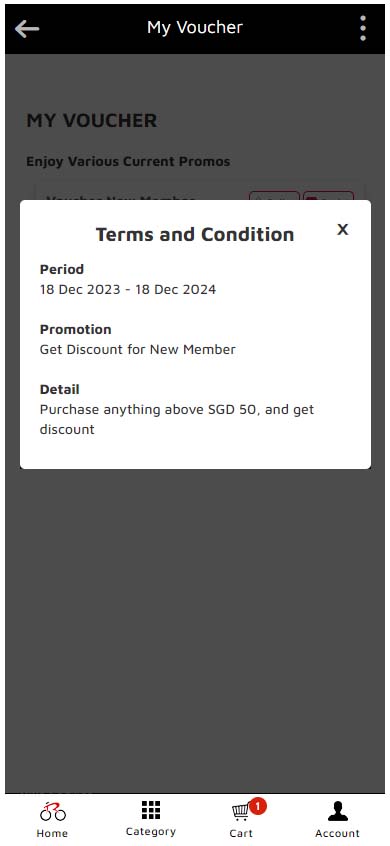
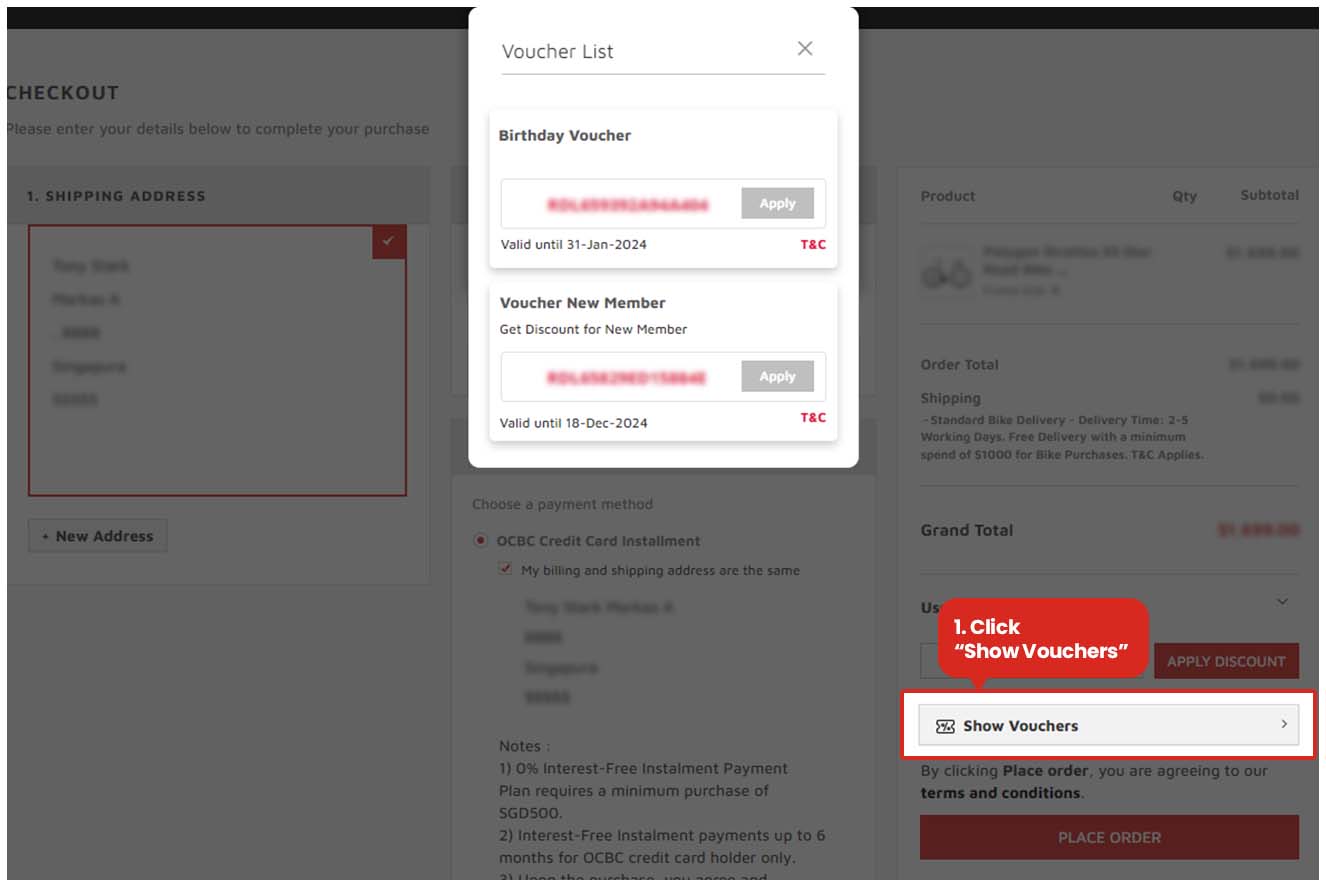
You can also see all coupons or voucher codes on the checkout page.
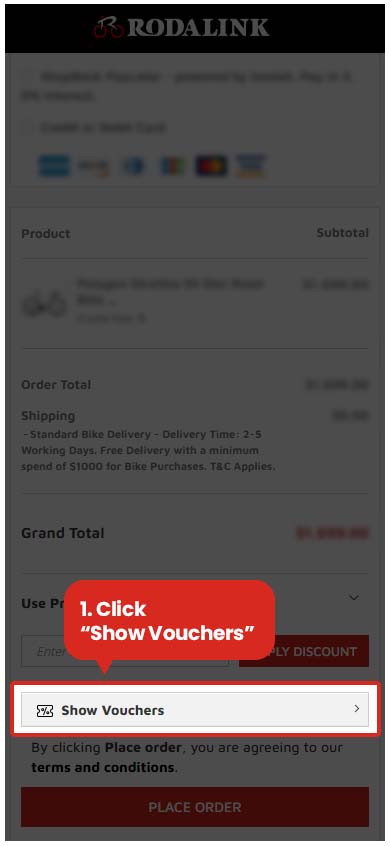
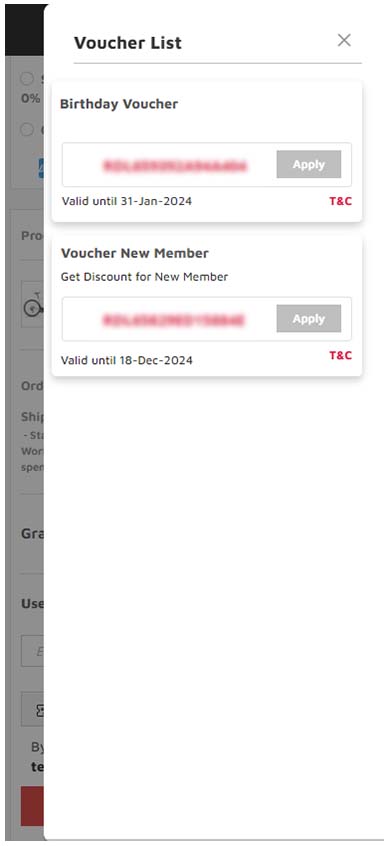
Dekstop Version
1. Login to your account first. Login click here.
2. Click “My Account”.
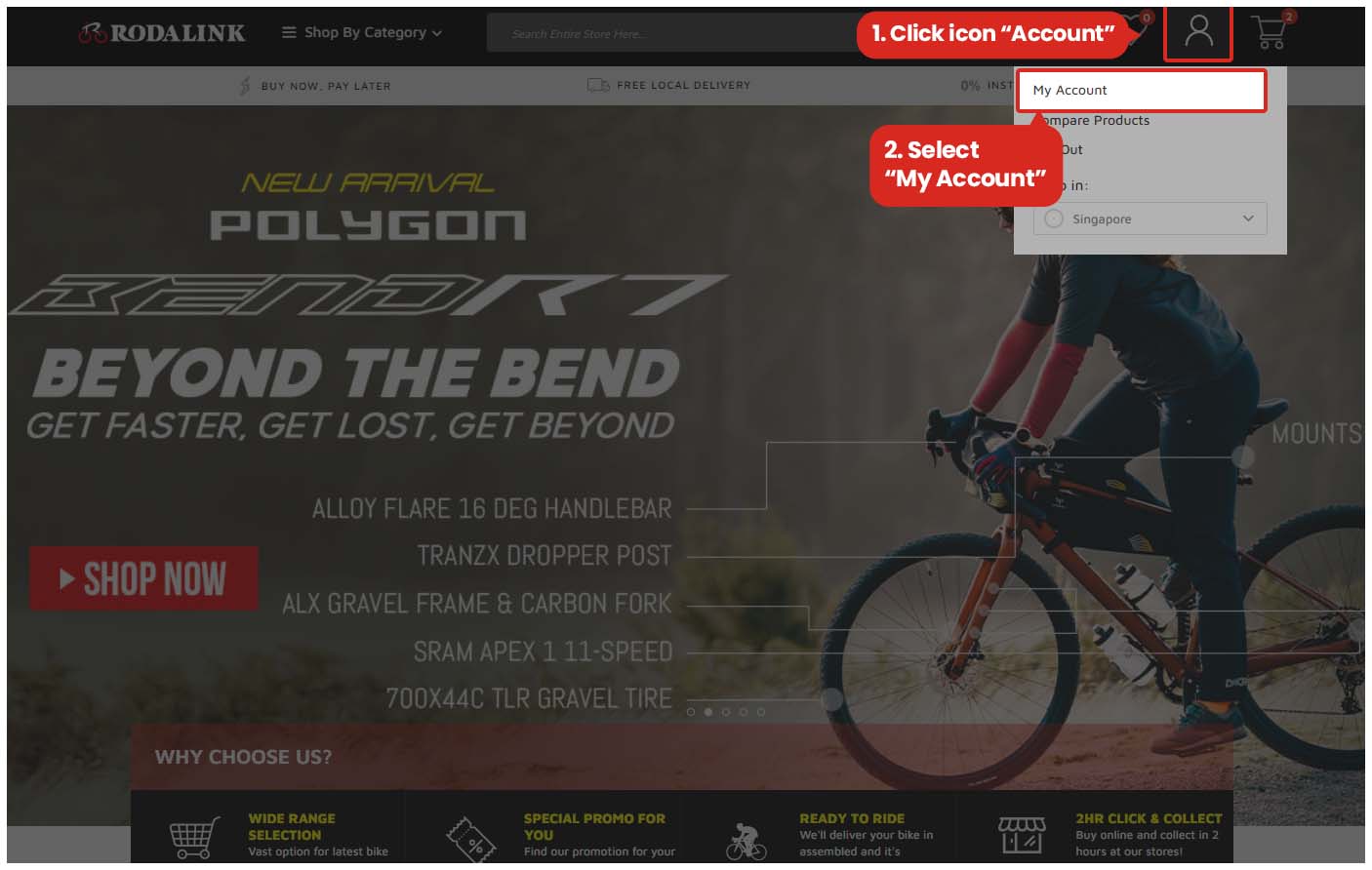
3. Select "My Voucher" menu to show all the coupons or voucher codes that you have.
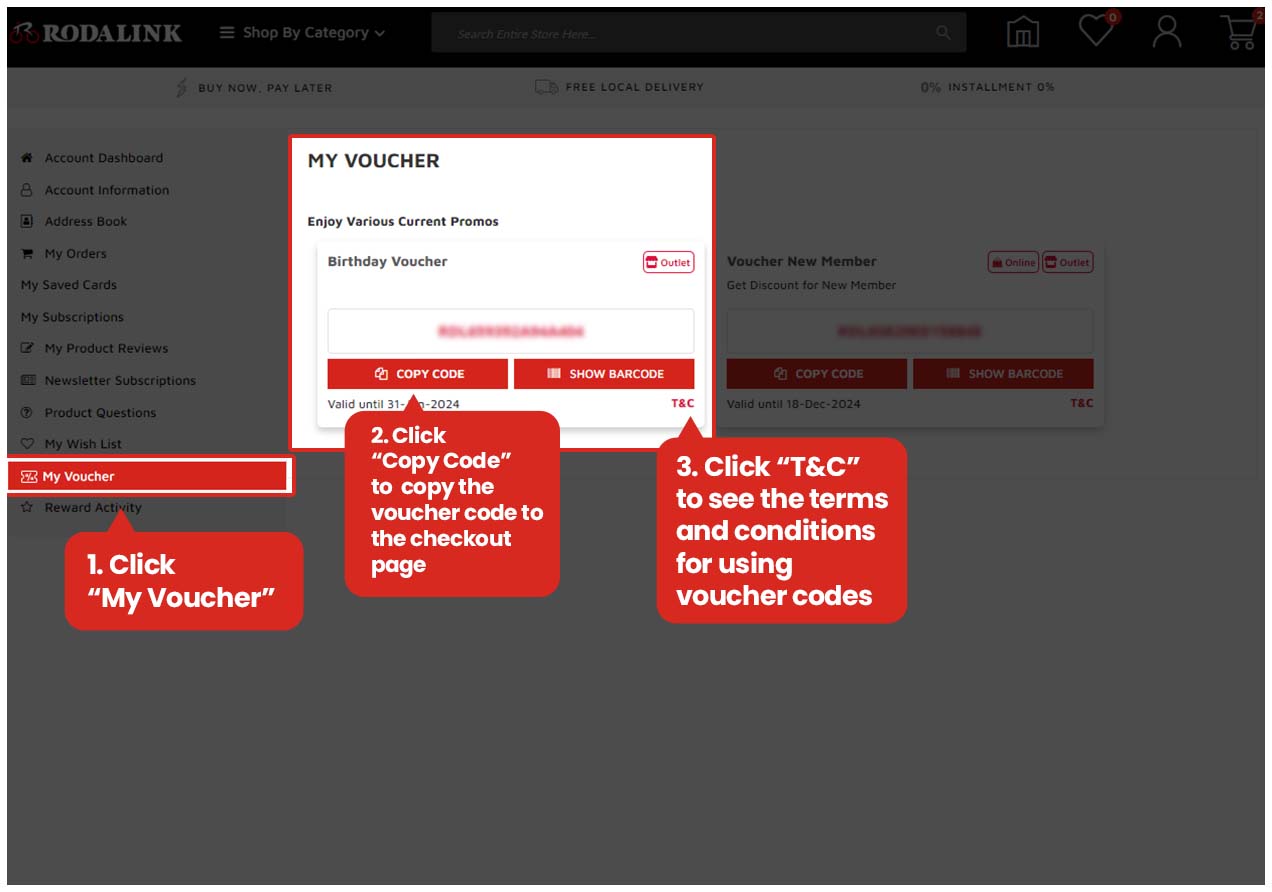
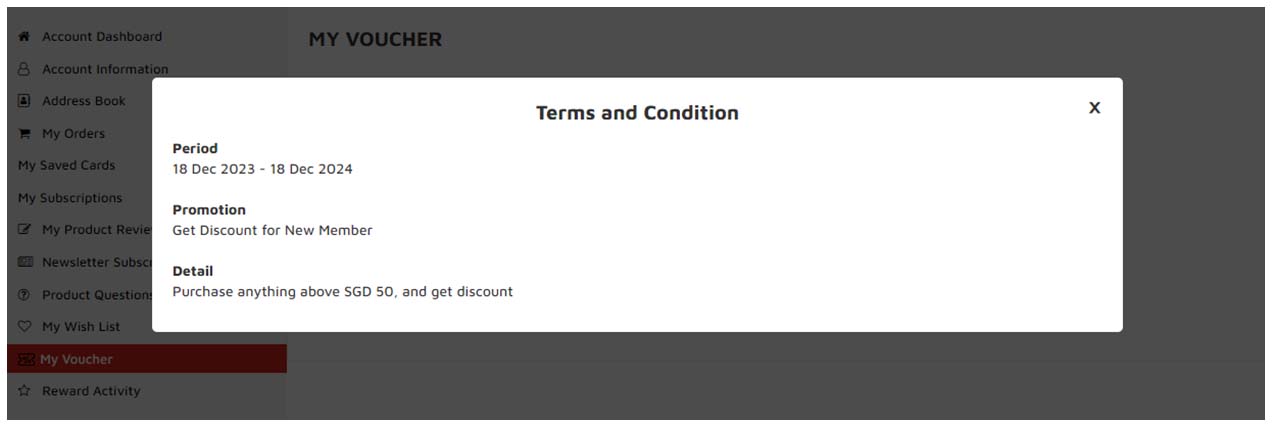
You can also see all coupons or voucher codes on the checkout page.


Please complete your information below to login.
Sign In
Create New Account